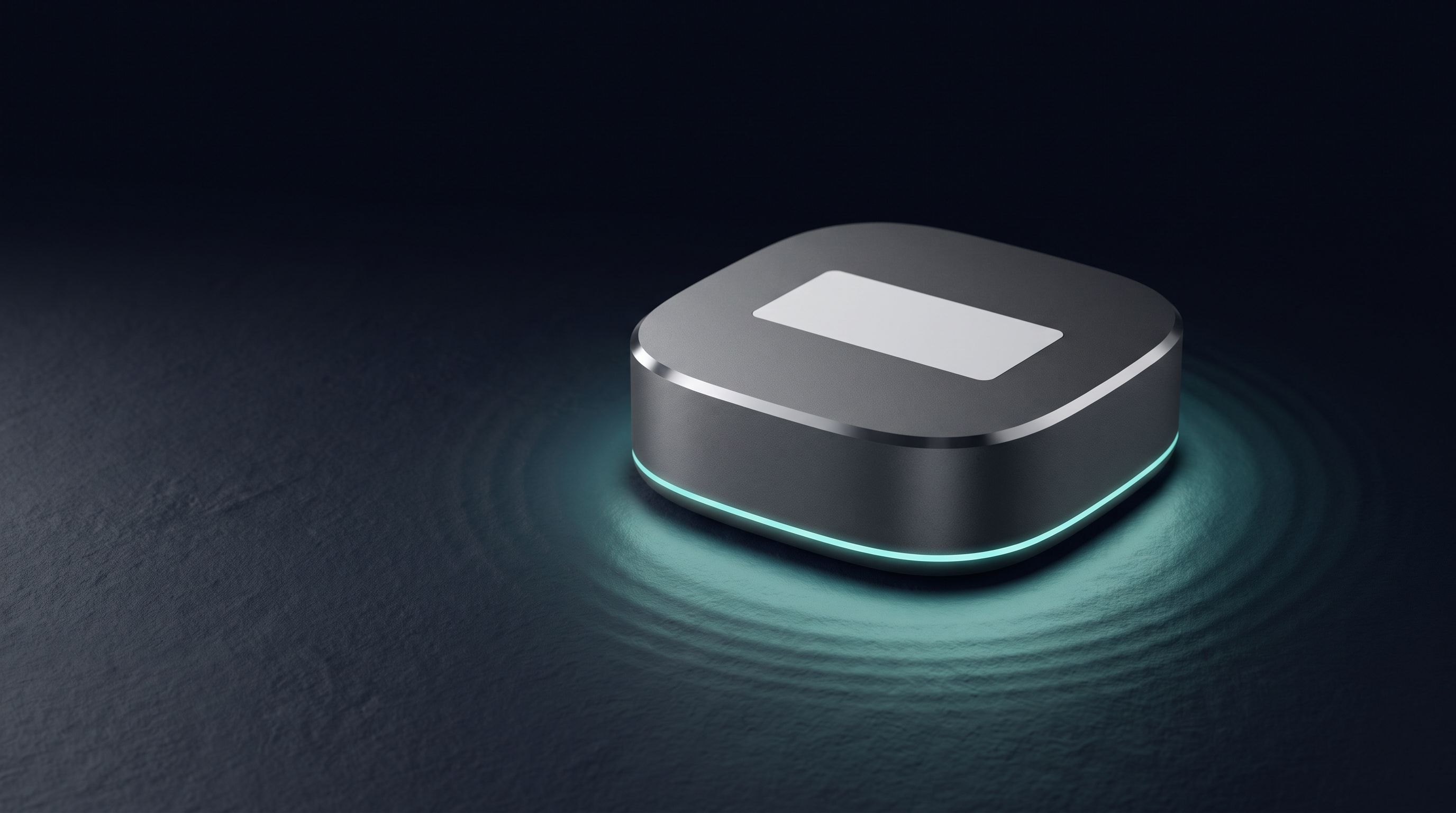
FIG 01 · Unit DEVK1T01 · ready for setup
A ready‑made Wi‑Fi setup app, in your brand.
Device Configs is one setup app that many device makers share. Your customer scans the code on your product, sees your name and colours, and gets the device on their Wi‑Fi.
You add our firmware kit and a QR label. We build and maintain the app. You pay for each device that gets online, and your customers pay nothing.
Try the demo unitScan it with your phone
Open this unit the way your customer would.
The maker's product card · real app screen
FIG 02 · How it works
Your customers set up your device in an app you don't have to build.
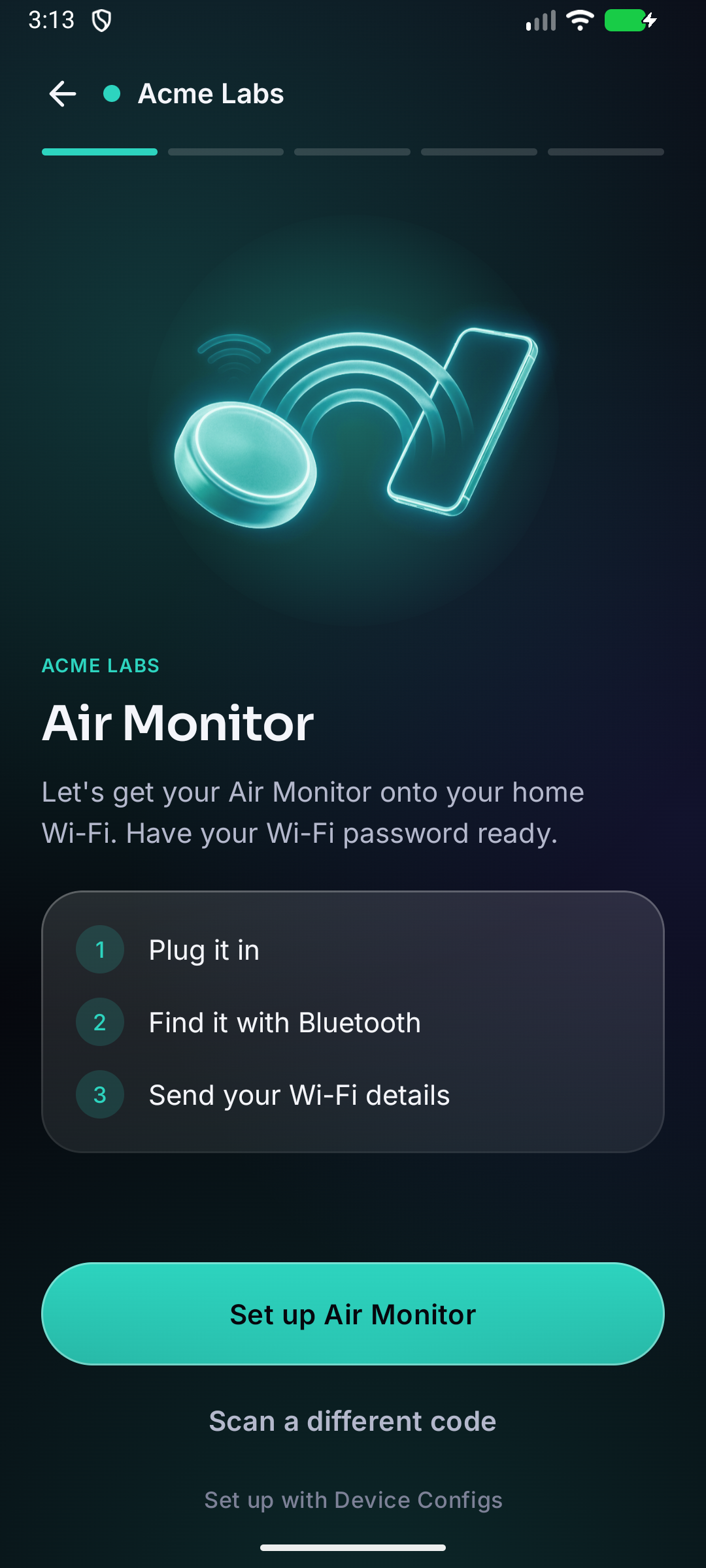
Device Configs is a setup app that many device makers share. Your products appear in it with your name, picture and colours, so to your customer it looks like your app. Device Configs is only mentioned in a small credit at the bottom of the screen.
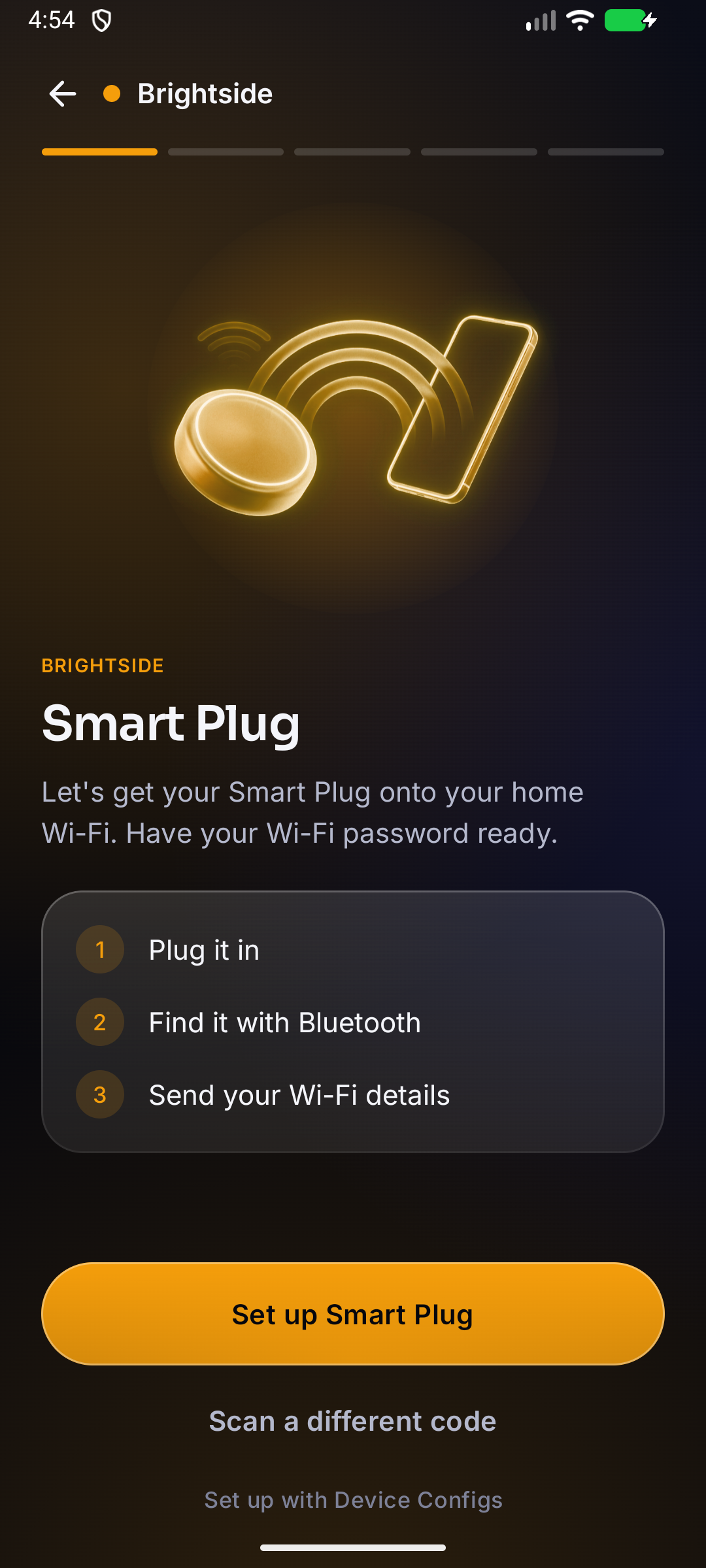
Brightside · Smart Plug
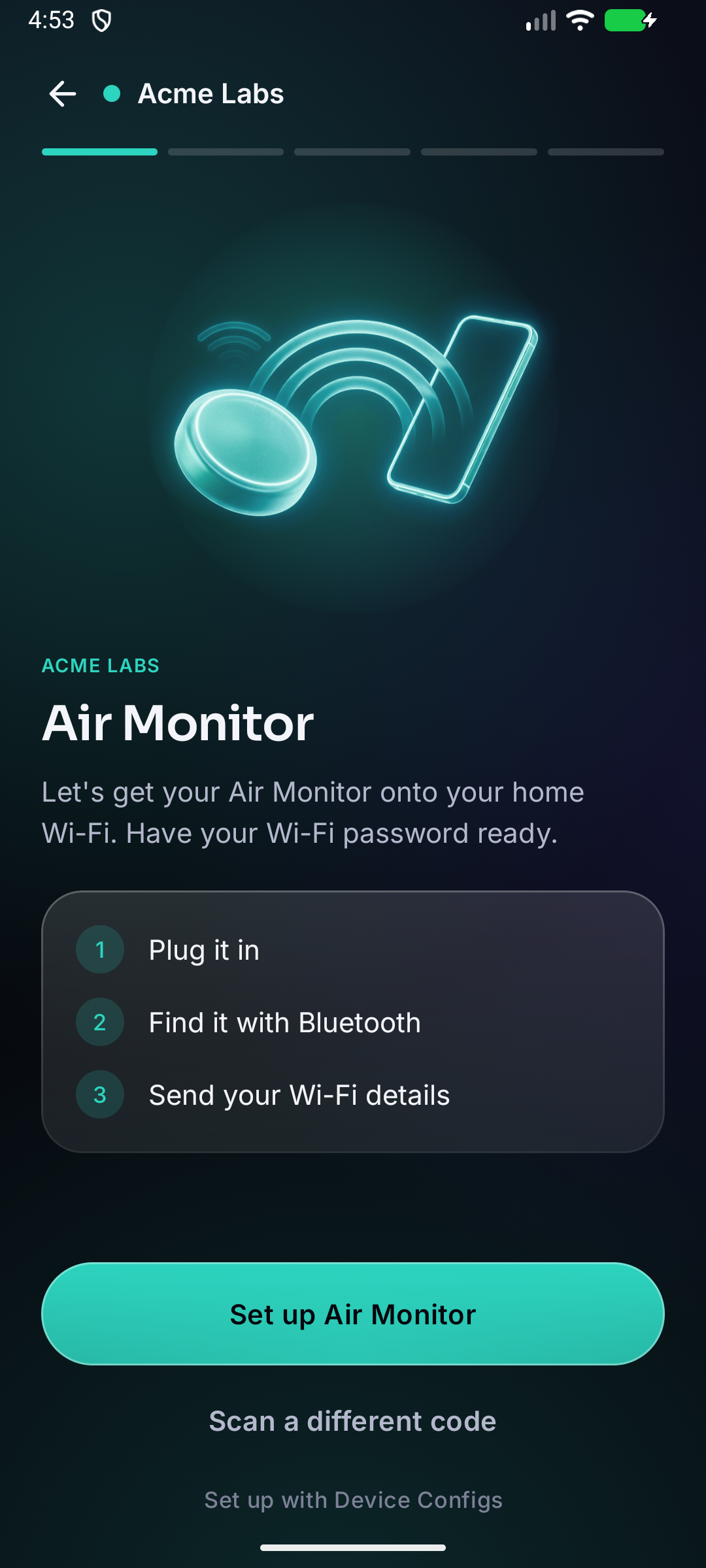
Acme Labs · Air Monitor
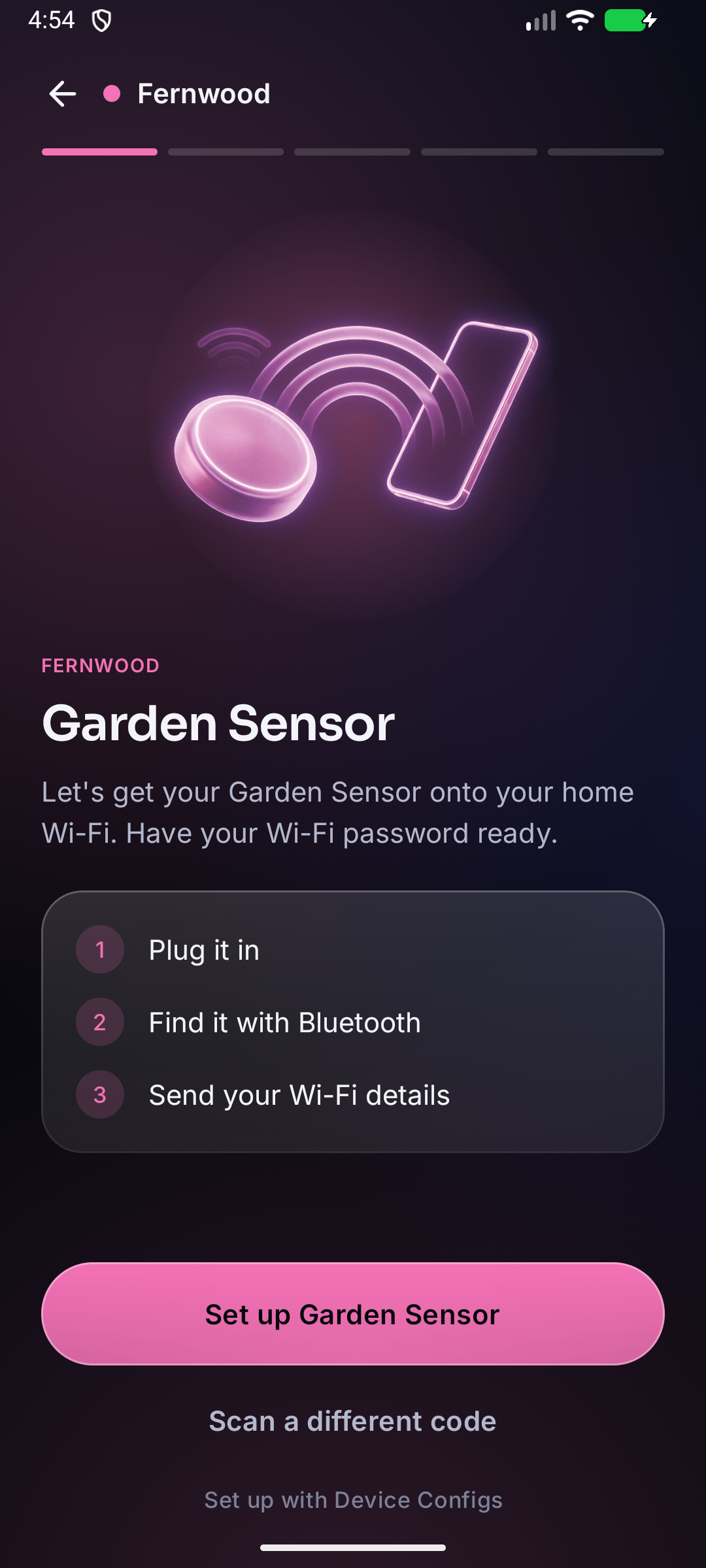
Fernwood · Garden Sensor
You, the maker
Add the Device Configs kit to your firmware, print a QR label for each unit, and set your product’s name, picture and colours.
Your customer
Scans the label with their phone and follows three steps in the Device Configs app. They don’t create an account or pay anything.
Device Configs
Builds and maintains the app, keeps it working with new phones and OS releases, and shows each maker’s products in that maker’s brand.
Free plan: your name and icon · Paid plans add your picture, colour and help link · White label: the app under your own name
FIG 03 · Setup, as your customer sees it
Setup takes four steps on your customer's phone.
Pointing the phone’s camera at the label opens your product page in the Device Configs app, with your name, picture and colours. There’s no account to create.
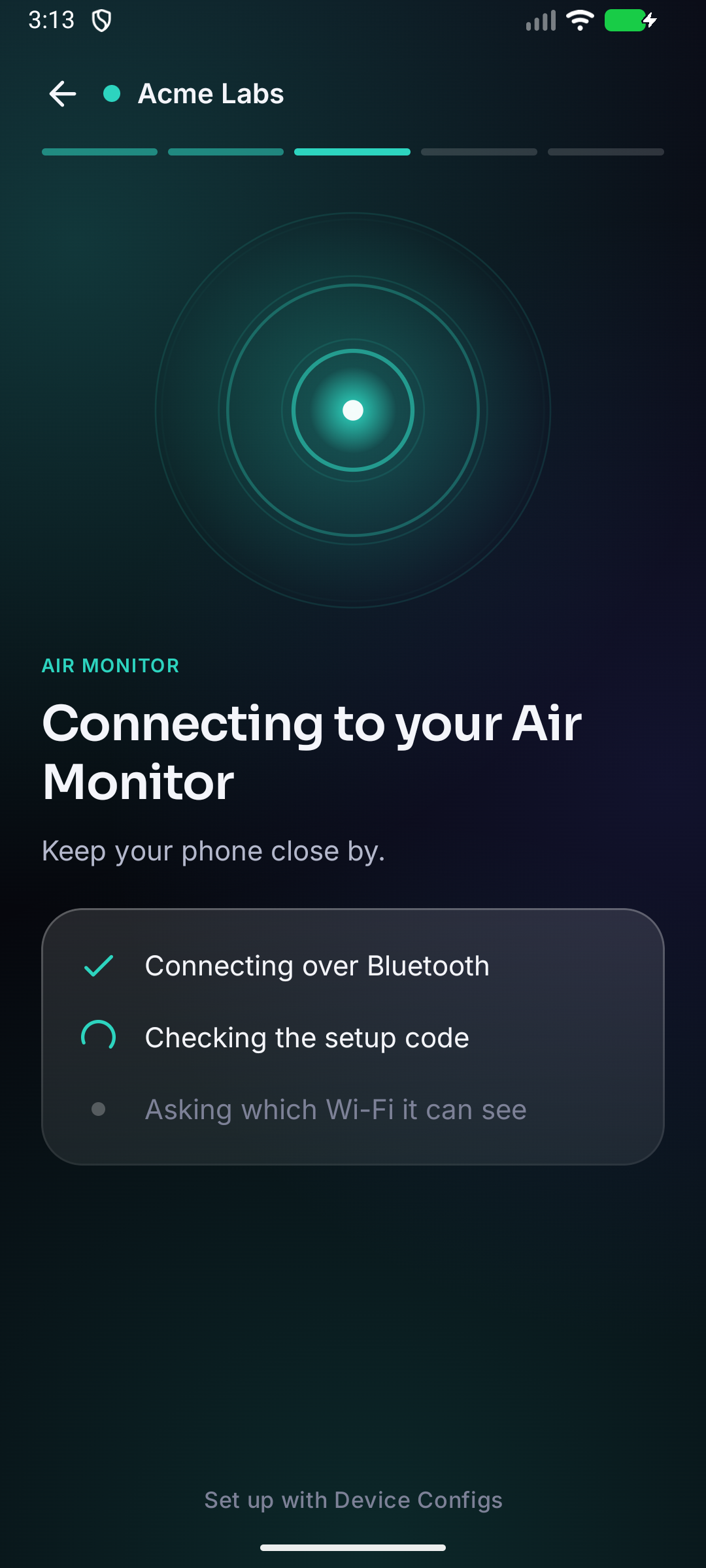
ADVERTISING · ACME-AIR-DEVK1T01
The app finds that exact unit by its serial number, even if several identical devices are nearby. The phone and the device check the setup code before any settings are sent.
SECURE SESSION · SRP‑6a · AES‑256‑GCM
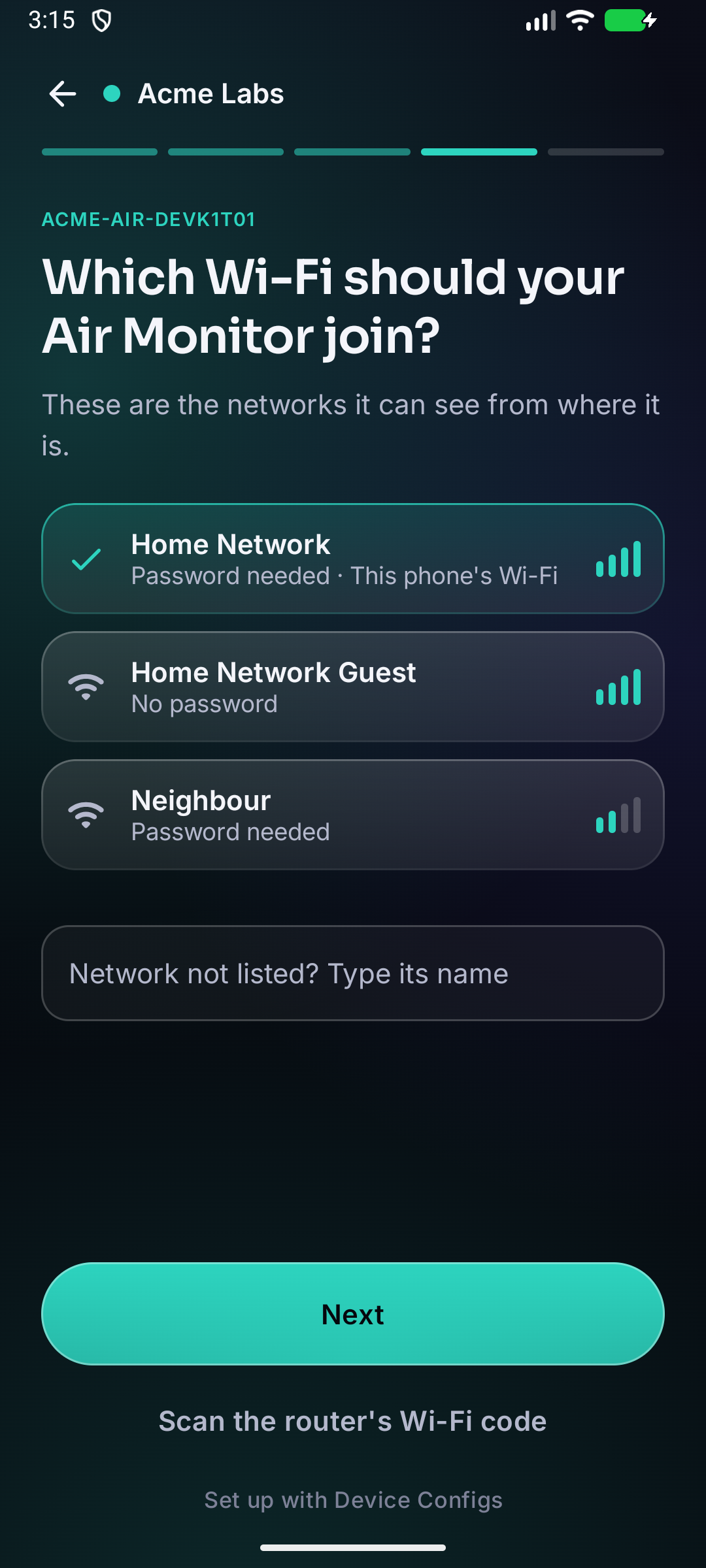
The device scans for Wi‑Fi itself and lists the networks it can reach, so your customer doesn’t pick one it can’t join.
WI‑FI SCAN · 3 NETWORKS IN RANGE
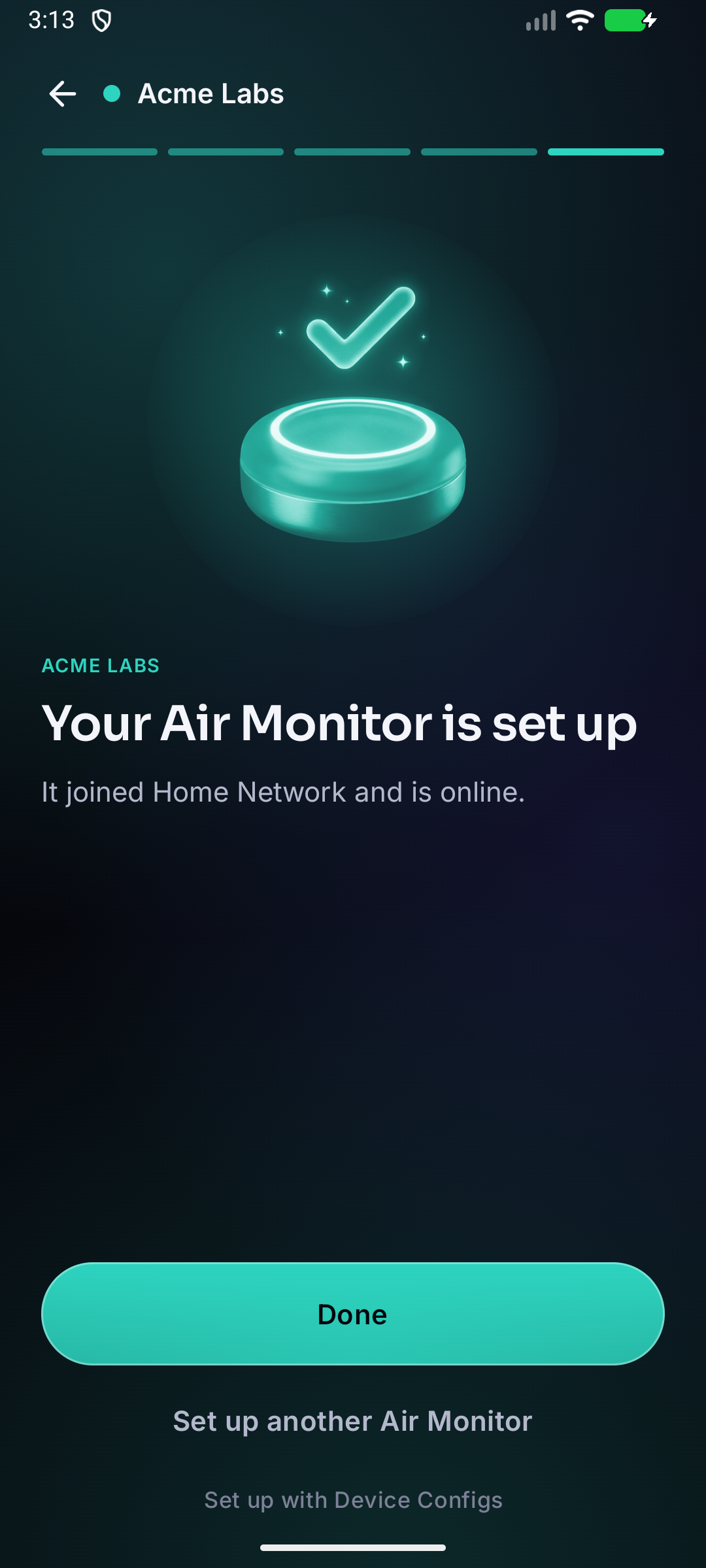
The device joins the network and reports back while the phone is still connected, so your customer knows it worked.
ONLINE · 192.168.1.57
If the password is wrong or the network is out of range, the app says which, and your customer can try again from the same screen.
AUTH ERROR · READY FOR NEW SETTINGS
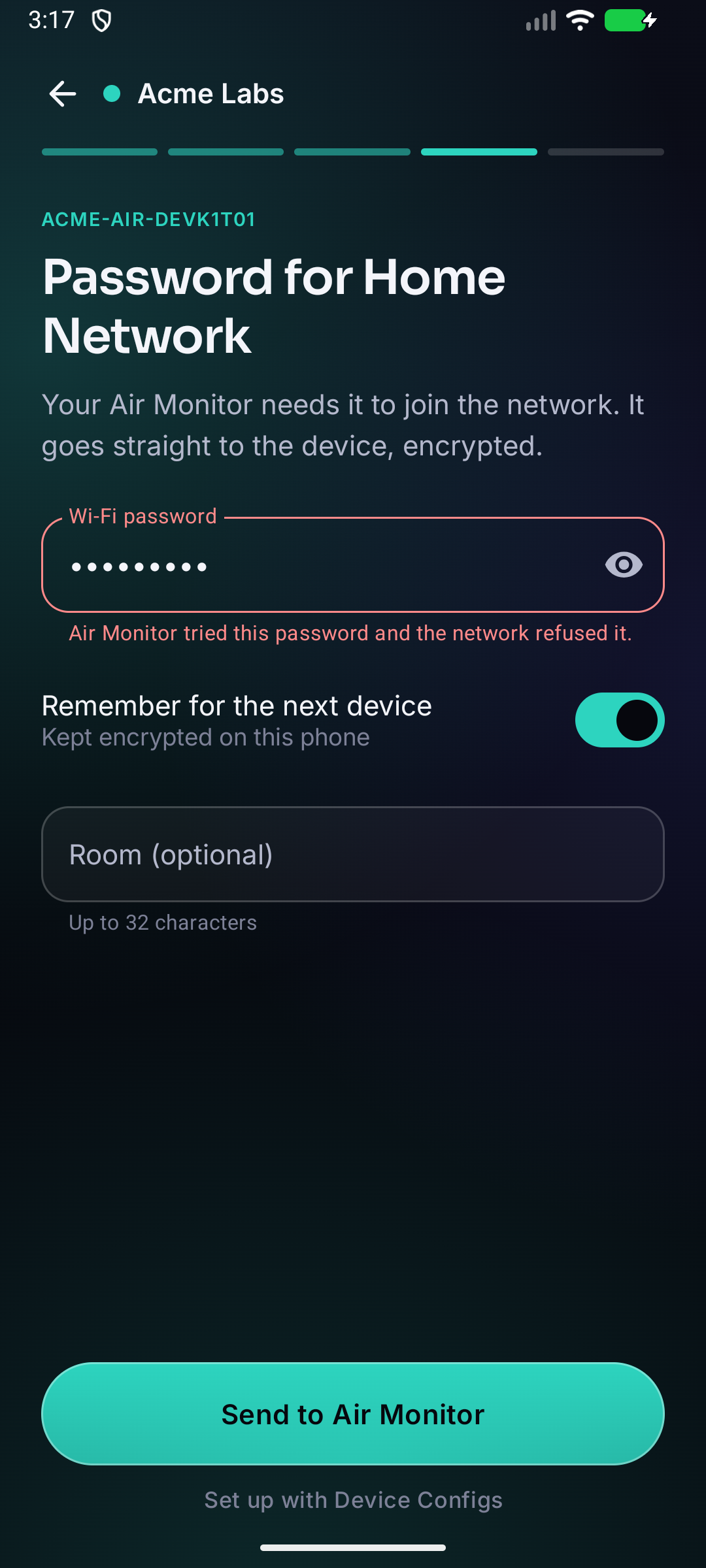
FIG 04 · Why setup matters
Setup problems are one of the main reasons connected devices get returned.
1 in 5
consumers who found smart-home setup very difficult returned the device.
Parks Associates, 2022 ↗36%
of consumer-electronics and smart-home returns come down to setup, installation or use.
Parks Associates, 2021 ↗Top 3
Configuration and physical setup problems rank among the top three reasons for returns.
CE Pro, 2025 ↗
FIG 05 · For the firmware engineer
Adding it to your firmware takes one function call.
#include "deviceconfigs.h"

void app_main(void) {
    nvs_flash_init();
    esp_netif_init();
    esp_event_loop_create_default();

    dc_config_t config = { .name_prefix = "ACME-AIR", .product = "airmon-2" };
    dc_start(&config);              // setup when needed, online otherwise
    dc_wait_online(portMAX_DELAY);

    char token[1025];
    size_t len = sizeof token;
    dc_get_token(token, &len);      // who this unit is, for your service
}
#include <DeviceConfigs.h>
void setup() {
DeviceConfigs.begin("ACME-AIR", "airmon-2"); // setup when needed, online otherwise
DeviceConfigs.waitOnline();
String token = DeviceConfigs.token(); // who this unit is, for your service
String room = DeviceConfigs.label(); // "Kitchen"
}
void loop() {}I (412) dc: Unit DEVK1T01, product airmon-2, not set up
I (431) dc: Setup open as ACME-AIR-DEVK1T01
I (9214) dc: Secure session with the app
I (14102) dc: Token and label stored (label "Kitchen")
I (15380) dc: Wi-Fi settings received for "Home Network"
I (18921) dc: Online at 192.168.1.57
I (18922) dc: Setup done
4.3 KB
of flash for the kit itself. Espressif’s provisioning adds about 37 KB and Bluetooth LE about 170 KB; the Bluetooth memory is released after setup.
Espressif’s protocol
The kit is built on Espressif’s provisioning protocol, so Espressif’s own tools, such as esp_prov, still work with your devices.
No dependency
After setup, the device keeps its network and token and talks only to your servers. It doesn’t need Device Configs to keep working.
FIG 06 · At the factory
Each unit gets its own serial number and setup code at the factory.
One command creates them, writes them to the device and prints the link for its QR label. The device stores only a verifier derived from the setup code, so the code itself is printed on the label and kept nowhere else.
$ python tools/dc_factory.py --product airmon-2 \
    --partitions partitions.csv --port /dev/ttyUSB0
Serial      7K3M9Q2X
Setup code  4TQ8N-HV2KB
Label QR https://deviceconfigs.com/p/airmon-2/7K3M9Q2X#4TQ8N-HV2KBLabel sheet · airmon‑2Demo units
FIG 07 · Security
Every unit has its own setup code, so there's no default password to leak.
01A code for each unit
Each label has its own 50-bit setup code. UK law (PSTI) has banned universal default passwords since April 2024.
02Not stored on the device
The device stores an SRP verifier made from the code rather than the code itself, so reading the device’s memory won’t reveal it.
03Not sent to a server
The code is in the part of the label’s link after the #, which browsers don’t send to servers. The product page also removes it from the address bar when it loads.
04Encrypted throughout
SRP‑6a (3072-bit, SHA‑512) lets the phone and device confirm they share the code without sending it, and AES‑256‑GCM encrypts every setting, including the Wi‑Fi password.
FIG 08 · Pricing
You pay for each device that gets online, with no monthly fee.
The first 100 devices are free. After that it's $1.00 a device, or as little as $0.35 in packs of 10,000, and you're only charged once a device reports it's online.
Building and keeping your own setup app typically costs $20,000 to $50,000 and 8 to 12 weeks. Source ↗
See every planSetup cost
$1,935
Per device
$0.61
100 free, then 3 packs of 1,000 and 62 at $1.00
You pay only for devices that report they're online. Your customers never pay. Credits are bought from $100.
FIG 09 · Questions
Will it work for my product?
Quick answers to common questions. The docs go into more detail.
Which chips does it work on?
ESP32 chips with Bluetooth LE. The kit is built and tested on the ESP32 with ESP-IDF 5.5 and Arduino-ESP32 3.3. The ESP32-S3, C3 and C6 use the same ESP-IDF APIs and are next on our bench.
Is it my app or yours?
It’s ours: your customers install the Device Configs app once and can use it for any maker’s device. When they scan your label, it shows your product in your brand. If you need an app under your own name in the app stores, that’s the White label plan.
Does it work on iPhone?
Android today. The iPhone version, an App Clip that opens straight from the QR code with nothing to install, is in development.
What does my device need from Device Configs after setup?
Nothing. It keeps its Wi‑Fi settings and token and works with your firmware and servers as usual.
What happens if Device Configs goes away?
Your devices speak Espressif’s standard provisioning protocol, so Espressif’s own tools can still set them up. The protocol is published in our docs.
What do you learn about my customers?
Nothing personal. The app only reads your product details, your customers don’t create an account, and we never sell personal data.
Do my customers pay anything?
No. Your customers pay nothing for the app or for setup. You pay for each of your devices that gets online.
How do I start?
Email [email protected]. During early access we set up your product record with you, and your first 100 devices are free.
FIG 10 · Your first unit
Put your first unit on Wi‑Fi this week.
Early access is open to makers of ESP32 products. Your first 100 devices are free.